
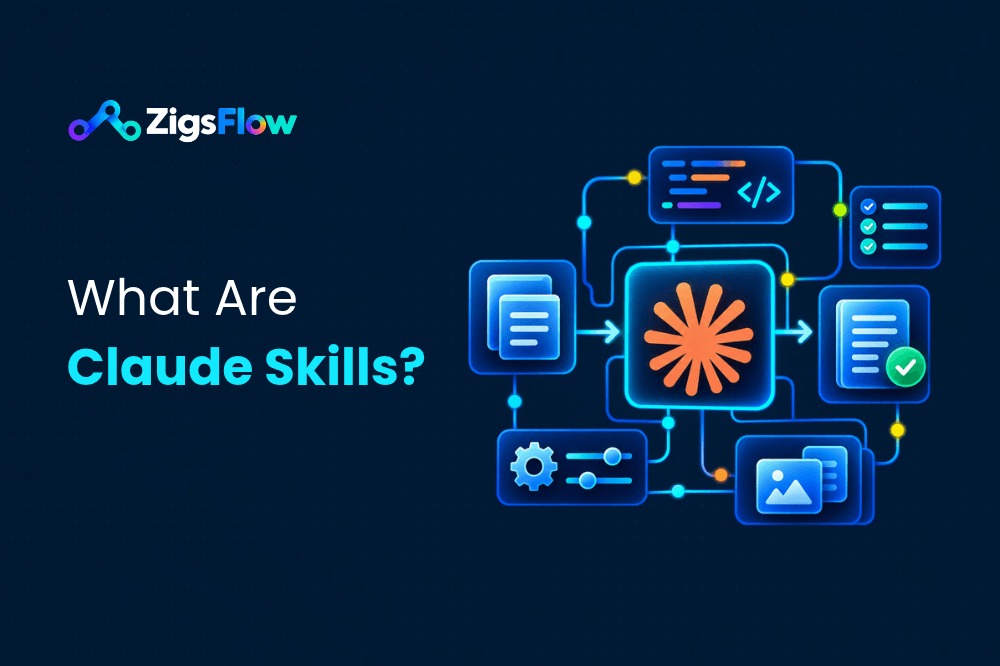
Claude skills are folders of instructions that teach Claude how to do a specific task your way. Each skill has a file called SKILL.md with a short name and description at the top. Claude reads that description, and when your request matches it, Claude loads the full instructions and follows them. You set up a skill once, and it works in every chat.
If you’ve ever pasted the same long prompt into Claude for the tenth time, skills are the fix. This guide explains them in plain English, shows you a real skill file, and walks you through making your own. No coding needed.
What are Claude skills, in simple words?
Think about the first day at a new job. Someone hands you a checklist: “This is how we write the weekly report. This is our email tone. These are the steps for onboarding a client.” You don’t read every checklist every morning. You pull out the right one when that job comes up.
A Claude skill is that checklist, written for Claude.
Without a skill, Claude does a good general job. With one, it does the job your way: your format, your steps, your rules. And you don’t have to explain it again.
Anthropic, the company behind Claude, calls the format Agent Skills. It’s published as an open standard, so the same skill can work in more than one tool.
What’s inside a Claude skill?
A skill is just a folder. The only file it must have is SKILL.md. Everything else is optional.
meta-description-writer/
├── SKILL.md        (required: the instructions)
├── scripts/        (optional: code Claude can run)
├── references/     (optional: extra docs, read only when needed)
└── assets/         (optional: templates, logos, fonts)
The SKILL.md file has two parts:
- The top part (frontmatter): two lines between
---marks. One is the skill’sname, the other is itsdescription. The description tells Claude what the skill does and when to use it. - The body: the actual instructions, written like you’d explain the task to a colleague.
Most beginner skills are a single SKILL.md file. You only add the other folders when a task needs a script or a long reference document.
How do Claude skills work?
Claude doesn’t read every skill you have in every chat. That would waste its memory. Instead it works in three layers:
- It always knows the names and descriptions. These are tiny, so Claude can keep all of them in mind at once.
- It opens SKILL.md only when your request matches. Ask for meta descriptions, and the meta description skill gets read. Ask about the weather, and it stays closed.
- It opens extra files only if it needs them. A big style guide in
references/gets read when the task calls for it, not before.
Anthropic calls this “progressive disclosure”. In everyday terms: Claude carries a table of contents, and only flips to the chapter it needs. That’s why you can install many skills without slowing Claude down.
Skills can also team up. If a task needs two of them, say your brand voice skill and your blog outline skill, Claude can use both in the same answer.
Claude skills vs Projects vs custom instructions
Claude has a few ways to remember how you like things done. Here’s how they differ:
| What it is | Where it applies | Best for | |
|---|---|---|---|
| Regular prompt | What you type in one chat | That chat only | One-off questions |
| Custom instructions | A few lines about you and your preferences | Every chat, always on | General tone and style |
| Project | A workspace with files and instructions | Chats inside that project | Ongoing work on one topic |
| Skill | A packaged way of doing one task | Any chat, but only when the task comes up | Repeatable tasks with set steps |
One more term you’ll see: connectors (also called MCP). A connector gives Claude access to an app, like Notion or Google Drive. A skill teaches Claude how to do a job, which may include using that app. Connectors are the keys; skills are the instructions.
What can you use Claude skills for?
Good candidates are tasks you repeat, where quality depends on doing the same steps every time. A few ideas:
- Marketing: turn product release notes into a customer newsletter, in your format.
- SEO: write meta descriptions that always hit the right length and include the keyword.
- Sales: turn messy demo notes into a follow-up email with next steps.
- Management: build the weekly team update from bullet points, same structure every week.
- Brand: check any draft against your brand rules before it goes out.
- Development: review code against your team’s checklist.
A simple test: if you could write the steps on an index card, and you’d hand that card to a new hire, it can be a skill.
Who can use Claude skills?
According to Anthropic, skills work on the Free, Pro, Max, Team and Enterprise plans. There’s one setting to check first: code execution and file creation has to be turned on. On Team and Enterprise plans, the account owner controls this for everyone.
Skills work in three places, and the same skill works in all of them:
- Claude apps (web, desktop and mobile)
- Claude Code, Anthropic’s coding tool
- The Claude API, for developers building their own apps
How to make your own Claude skill
There are two ways. The first is easier; the second gives you full control.
Option 1: Ask Claude to build it for you
Open a chat and describe the task. For example: “I want to make a skill that writes meta descriptions for my blog posts. They should be under 155 characters and include the main keyword.” Claude will ask you a few questions, then write the skill file for you. Review it, ask for changes, and save it.
Tip: show Claude one or two examples of results you liked. It will copy what made them good.
Option 2: Write the SKILL.md yourself
It’s quicker than it sounds. Follow these steps:
- Pick one task. Not “help with marketing”. Something narrow, like “write meta descriptions”.
- Make a folder. Name it in lowercase with hyphens, for example
meta-description-writer. No spaces, no capitals, no underscores. - Create a file called SKILL.md inside it. The name must be exactly that, in capitals.
skill.mdwon’t work. - Add the name and description at the top, between two
---lines. - Write the steps below it, the way you’d explain them to a person.
- Add one example of a good result.
Here’s a complete, working example you can copy:
---
name: meta-description-writer
description: Writes SEO meta descriptions for web pages and blog posts. Use when the user asks for a meta description, a search snippet, or SEO copy for a page.
---

# Meta description writer

## Steps
1. Ask for the page's main keyword and topic if they aren't given.
2. Write 3 options.
3. Each option must be 140 to 155 characters, counting spaces.
4. Put the main keyword in the first half of the sentence.
5. Say what the reader gets from the page. No hype words.
6. End with a reason to click, like a tip, a number or a free resource.

## Output format
A numbered list of the 3 options, each followed by its character count.

## Example
Keyword: google apps script examples
"Copy-ready Google Apps Script examples for Sheets, Gmail and Drive, plus a 7-step guide to install and run them. Free with any Google account." (142)
How to write a description Claude actually uses
The description is the most important line in the whole skill. It’s the only part Claude reads before deciding to open the skill. A good one says two things: what the skill does and when to use it, using words people actually type.
- Too vague: “Helps with SEO.” Claude can’t tell when to use it.
- Missing the “when”: “Writes meta descriptions.” Better, but it doesn’t say which requests should trigger it.
- Good: “Writes SEO meta descriptions for web pages and blog posts. Use when the user asks for a meta description, a search snippet, or SEO copy for a page.”
How to install and test your skill
In the Claude app
- Zip the skill folder. Zip the folder itself, so the folder sits at the top of the ZIP file.
- In Claude, open Customize, then Skills. (Older versions of the app put this under Settings, then Capabilities.)
- Upload the ZIP and switch the skill on.
- Start a new chat and ask for the task, like “Write a meta description for my post about n8n templates.”
- Check Claude’s thinking. You should see something like “Reading meta-description-writer”. That means the skill loaded.
The same Skills page also has ready-made skills from Anthropic you can switch on and try.
In Claude Code
Put the skill folder in ~/.claude/skills/ to use it in all your projects, or in .claude/skills/ inside one project to share it with your team through the repo. No ZIP needed.
If Claude ignores your skill
Nine times out of ten, the description is the problem. Add the exact words people use when they ask for the task. If the opposite happens, and the skill shows up when it shouldn’t, make the description narrower and say when not to use it.
Common mistakes beginners make
| Mistake | Fix |
|---|---|
File named skill.md or Skill.md |
Rename it to exactly SKILL.md |
Folder name like Meta Writer or meta_writer |
Use lowercase with hyphens: meta-writer |
| ZIP contains loose files, not the folder | Zip the folder itself |
| Name includes “claude” or “anthropic” | Those words are reserved. Pick another name |
| Angle brackets (< >) in the name or description | Remove them. They’re blocked for security reasons |
| A README.md inside the skill folder | Put everything in SKILL.md or the references/ folder |
| One skill that tries to do five jobs | Split it into five small skills |
Are Claude skills safe to download?
A skill made only of text instructions is low risk. A skill with a scripts/ folder can run code on your behalf, so treat it like any program from the internet. Before you install a skill someone else made:
- Open SKILL.md and read what it tells Claude to do.
- Open any scripts and check what they touch.
- Don’t give a skill passwords or API keys it doesn’t need.
- Prefer skills from sources you trust, like Anthropic’s own public skills repository or a library that shows you the full file before you download it.
Frequently asked questions
What is a SKILL.md file?
SKILL.md is the main file in every Claude skill. The top holds the skill’s name and a description of when to use it. The rest holds the instructions Claude follows. The file name must be exactly SKILL.md, in capitals.
Do I need to know how to code to make a Claude skill?
No. A skill can be plain written instructions. You only need code if you want the skill to run a script, and Claude can write that part for you.
Are Claude skills free?
Skills are included in all Claude plans, including the free plan. You need code execution and file creation turned on in your settings.
What’s the difference between a Claude skill and a Project?
A Project is a workspace for one topic, and its instructions only apply to chats inside it. A skill is a packaged way of doing one task, and Claude can use it in any chat whenever that task comes up.
Can I use more than one skill at a time?
Yes. Claude can load several skills in the same conversation if a task needs them, like a brand voice skill and a blog outline skill together.
Do Claude skills work with ChatGPT?
Not directly as uploads. But a SKILL.md file is readable text, so you can paste its instructions into a ChatGPT project or custom GPT and get similar results.
Where to go from here
Start small. Pick the one task you explained to Claude most often this month, and turn it into a skill today. Fifteen minutes now saves you that explanation forever.
Want a head start? Browse the ready-to-install skills in the ZigsFlow skills library, or read our step-by-step guide to installing Claude skills. For Anthropic’s latest setup steps, see their help article on using custom skills.